Run your agenton your own machines.
Give an AI agent your files, tools, and skills. Choose a local model, or connect a provider when you want one.
Apple Silicon Macs and NVIDIA GPUs. Start with one. Add a machine when a model needs the memory.
Stays on your machines until you connect a provider.
iPhone and iPad app coming soon.
Follow agent work away from your desk.
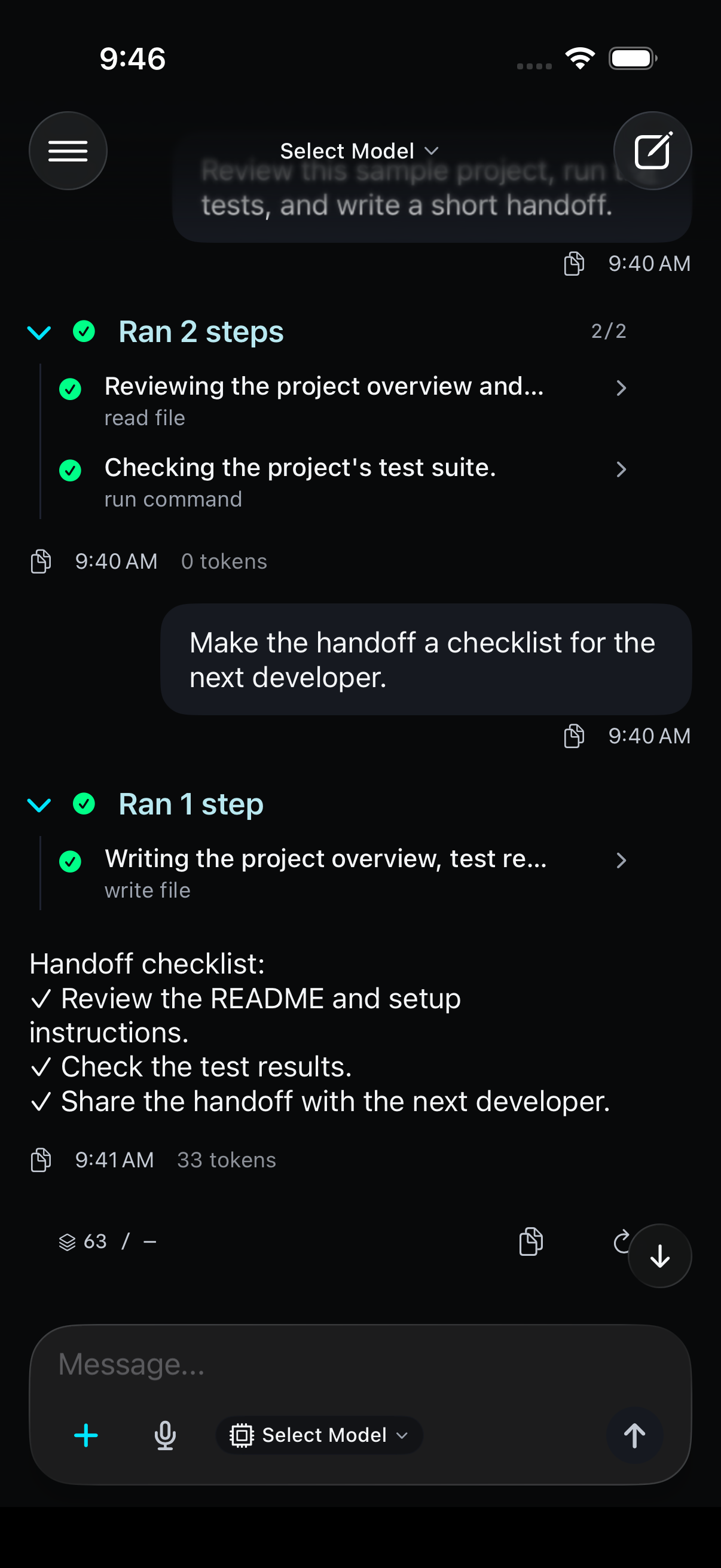
Actual app components. Example content. No commands or model requests. iPhone screens are captured from the native SwiftUI app.
The agent, and the machines that run it.
Pick a model, give the agent a task, and see the machines that run it. Start with one.
- AgentWorks with your files and toolsResearch, write code, and edit files with an agent that uses skills, MCP servers, and your terminal. It can check on your Macs and deploy models from the chat.Learn more
- Local modelsFind, download, serveSearch Hugging Face, download MLX models to any of your Macs, and start one when you choose. Nothing loads until you launch it.Learn more
- Cloud providersOnly when you connect oneSign in with Anthropic, OpenAI, xAI, Moonshot, or Z.AI, or add an API key. Chats you send there go to that provider; local models stay the default.Learn more
- asmiEvery Mac in one viewA small daemon on each Mac reports memory, GPU, and what it's serving. Move models between Macs and start or stop servers without SSH.Learn more
- RDMAOne model across MacsLink Macs with Thunderbolt 5 to run a model too big for one. Needs macOS 26.2 or later and a one-time step in Recovery.Learn more
- PrivacyWhat stays with youStays on your machines until you connect a provider.Learn more
37 skills, built in.
The r1o Agent comes with 37 skills across 17 categories: documents, GitHub, research, cluster operations, and more. Categories marked online need an internet connection.
GitHub
Online6Code Review, PR Workflow, Issues, Repo Management, Auth, Codebase Inspection
Apple
3Apple Notes, Apple Reminders, iMessage
Documents
3Word / DOCX, PDF, Excel / XLSX
Creative
2ASCII Art, Humanizer
Research
Online2arXiv, DuckDuckGo Search
Software Dev
3Systematic Debugging, TDD, Writing Plans
Cluster
2asmi daemon, Cluster Ops
MLOps
Online1Hugging Face Hub
Mostly on your Mac
22 skills work with what's on your Mac. The other 15 reach a service such as GitHub, web search, or email, and some need your own account there.
Your own skills
Write a skill as a short markdown file that describes a procedure. The agent reads it and follows the steps.
Skills Hub
Install more from the Skills Hub whenever you need them.
Start with the machine you have
Download r1o, pick a model, and give the agent its first task. Add a machine when the work needs it.